From an enquiry to a sale
How a conversation becomes a deal and ends up as an invoice.
Follow an enquiry from the first message to the invoice. Each step records something you will need months later.
1. The enquiry arrives
A message creates the conversation and, first time round, the contact. The contact records where they came from: the channel, the form, the referral.
The revenue-by-source report uses that months later.
2. The deal is created
Create the deal from the conversation, with Create deal. It inherits the contact and stores a snapshot of the source at that moment.
If the contact's source changes later, the deal keeps the one it had, so a report you ran three months ago still says the same thing today.
See The pipeline.
3. It gets a value
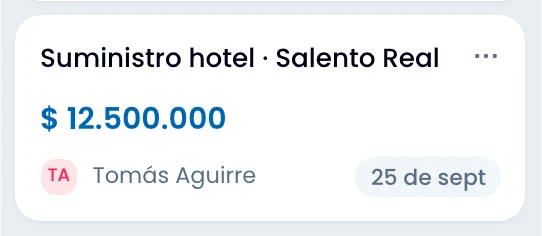
Give the deal its value, in whichever currency applies. Wrap stores the original value, the one converted to the base currency, and the rate it used, with its date.
That is how you total a pipeline with deals in four currencies, and why an old figure does not change because the dollar moved today.
See Currencies.
4. It moves through the pipeline
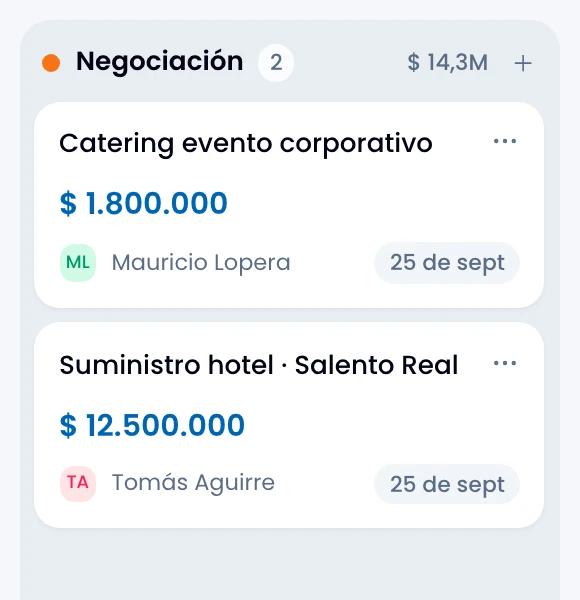
Move the deal by dragging it on the board, or change its stage from the record. You can also accept the suggestion the assistant offers in the conversation when it sees a signal.
Every move is written into the deal's activity, with who and when.
5. It is won or lost
Mark the deal Won and Wrap offers to mark the contact as Customer if they are not one already.
Mark it Lost and Wrap asks for the reason. That reason is the only thing feeding the lost-reasons report, so a handful of repeatable reasons is worth more than thirty different sentences.
6. It gets invoiced
Create a draft invoice in Flow from the won deal's record, with the customer's details already filled in. If the contact or company is linked to Flow, Wrap bills that partner. If neither is linked, Wrap creates the partner there with the record's name and links it.
If that sale already has an invoice, Wrap opens the existing one instead of making a second. And if something is missing it tells you: no contact or company, no value, or Flow out of service.
What is left behind
When the sale ends you are left with three records. Go back to them months later to answer "where did this sale come from?" without anybody having to remember:
- The contact, with a full history and an updated stage.
- The deal, with its converted value and its reason if it was lost.
- The conversation, linked from the deal.