Wrap's home
See on one screen what needs attention today, read yesterday's recap and ask Wrap.
Open Wrap and the home panel answers one question: what needs attention now?
The numbers at the top
Measure the state of the inbox with three cards:
| Card | What it counts |
|---|---|
| Open conversations | Everything open in the inbox, with "awaiting a reply" underneath |
| Unassigned | The open ones waiting for an owner |
| Contacts | The workspace's active contacts |
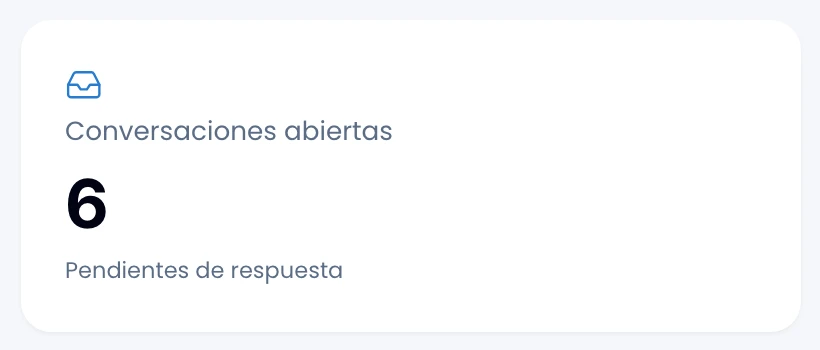
Click a card to open the already-filtered list that produced it, not a generic one: the inbox's filters live in the URL, so the link is the view.
The panel and the assistant count the same way, so they will never give you two different numbers for the same question.
Yesterday's recap
Read in three lines what happened yesterday in the workspace, written by the assistant.
Wrap writes that recap once a day for the whole workspace, early in the morning. Opening the panel again does not regenerate it or spend extra credits.
A quiet day costs no credits.
Wrap cuts the day in the workspace's timezone, so the recap you read over breakfast covers the whole previous day.
Deals at a glance
See how the commercial side is going in four cards:
- Open pipeline: what the live deals are worth right now, with how many there are underneath.
- Won this month, in value and in count.
- Close rate for the month: won over closed.
- Median cycle, the days a deal takes from creation to won.

Wrap counts everything in the workspace's base currency.
Ask Wrap
Type your question in the Ask Wrap field at the top of the panel. Ask in plain language for what would take you three screens: "how much did we sell this week?", "who wrote to me and got no answer?", "recap yesterday".
Wrap suggests questions drawn from yesterday's recap, so they point at what actually happened. See The assistant.
Follow-ups
Check here the follow-ups you set that are coming due, soonest first. Everyone sees only their own. See Follow-ups.

Recent activity
See the latest in the workspace: new contacts, new conversations, deals created, won or lost.