Assignment and status
Who answers what, how the work is dealt out, and what each status means.
Assign a conversation and whoever receives it can see it, even without access to that channel. Assignment grants sight, which is what makes triage possible without handing over the whole channel.
Assigning by hand
Change the assignee from the participants button in the header. Wrap records the change in the thread's activity. A conversation has one assignee, or none.
You will see who it is assigned to in the row of facts under the header.
If you do not see the participants button, ask an admin to make the change.

Automatic assignment
Choose on each channel what happens to new conversations and stop dealing them out by hand.
| Mode | What it does |
|---|---|
| Unassigned | They arrive unowned and somebody picks them up. |
| To the channel owner | Always the same person. |
| Round-robin between members | Wrap deals them one at a time among the people you tick. |
The rotation deals by slot, and a slot is either one person or one group. A group takes one slot, and inside the group it rotates who handles it.
An empty or deleted group skips its slot and the rotation carries on dealing.
Seeing the channel and being in the rotation are different things. A supervisor sees everything and receives nothing, and a channel owner always sees their own channel without joining the rotation because of it.
Statuses
Snooze, close or archive a conversation as soon as it stops needing you today.
| Status | How you leave it |
|---|---|
| Open | You snooze it, close it or archive it. |
| Snoozed | It comes back on its own when the time passes, or when the customer writes. |
| Closed | You reopen it by hand, or the customer writes and it comes back. |
| Archived | You unarchive it by hand, or the customer writes and it reappears. |
The pattern is always the same: a customer message brings the conversation back, whatever the status. Archiving means "done with this until something changes", never "ignore this person".
Excluding is the stronger verb. An excluded conversation leaves the inbox and stays out until an admin restores it from Excluded.
When a person excludes a conversation, for spam or for a sender you do not handle, Wrap records who did it. Mail that arrives as bulk, a newsletter for instance, comes in already excluded and does not clutter the inbox.
If you do not see Excluded, ask an admin to exclude or restore the conversation for you.
Response time
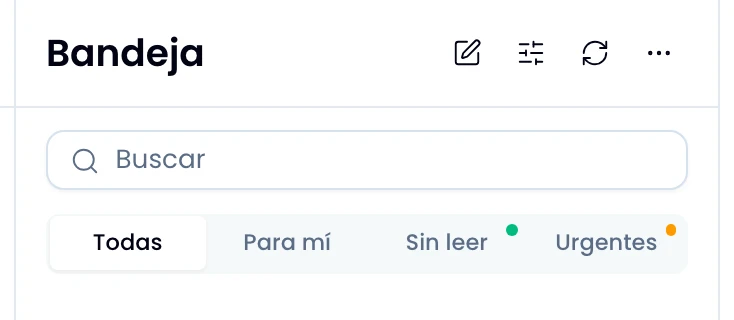
Filter by Urgent and take first what is about to run out of time. Wrap flags a conversation urgent when the last quarter of its window is left, not only once it has passed. Your workspace sets the target and what it measures.
See The response target.