Custom fields
Create your own boxes on contacts and companies when the standard model is not enough.
Keep in Wrap whatever your business needs beyond the few standard fields: the plan they bought, the size, the renewal date. Every field you define shows up on the record like any other.
Types
Pick the type from the data you are going to store:
| Type | What for |
|---|---|
| Text | Any string. |
| Number | Quantities, sizes, quotas. |
| Date | Birthdays, expiries, start dates. |
| Yes / No | A condition. |
| List | One value out of a set you define. |
Where they appear
Decide as you create the field whether it lives on contacts or on companies. Wrap adds it to the matching record, in its own section.
Use a contact field of the list or yes/no type as the axis of the segments report. The other types do not work as an axis: grouping by free text or by a date gives you one group per value, which is not a segment.
Managing
Create a field under Settings → Custom fields and give it a key, a visible label and a type.
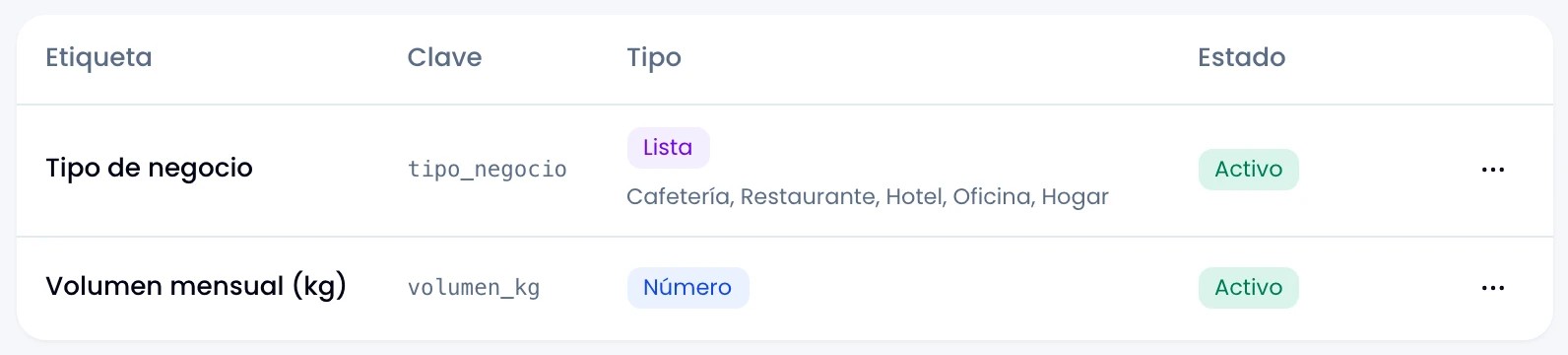
Every key is unique. Repeat one and Wrap says so.
If you cannot see Custom fields in the settings, ask a workspace admin to create the field for you.
The key and the type do not change
Choose the key and the type carefully: once the field exists, they are fixed. Change the visible label whenever you like.
If you got it wrong, archive the field and create another. Wrap stops offering the archived one while you edit, and keeps what was already saved.
Option lists
Write the possible values of a list field: at least one and up to 50. Edit that list whenever you like.
Removing an option some record already uses does not delete that value. Wrap stops offering it on new records, and that record's field stays unanswered until you choose a current option.