Voice notes
Recording audio in chat, and the automatic transcript.
Record a voice note with the composer's microphone when saying it beats typing it. Send or clear whatever draft is in the box: the microphone appears once the box is empty.
Press it and the recording bar replaces the editor, with the elapsed time and two buttons, discard and send.

The first seconds read "Warming up the mic": the counter starts once the recording is really underway.
A note runs up to five minutes. The timer turns red with fifteen seconds left, and at the limit Swarm ends the take and leaves it in the composer, ready to send.
If you navigate away mid-take, Swarm discards it and frees the microphone.
Requirements
- Give the microphone permission in your browser. If you blocked it, Swarm says so.
- Use a browser that can record in a supported format. If yours cannot, Swarm says that too, rather than failing on send.
Swarm refuses a recording that is too short, with a notice.
Playing
Play each note inside the message itself, with pause and a scrubber.
Transcription
Swarm turns the audio into text and leaves the transcript beside the note. With it you search what was said and read it without sound.
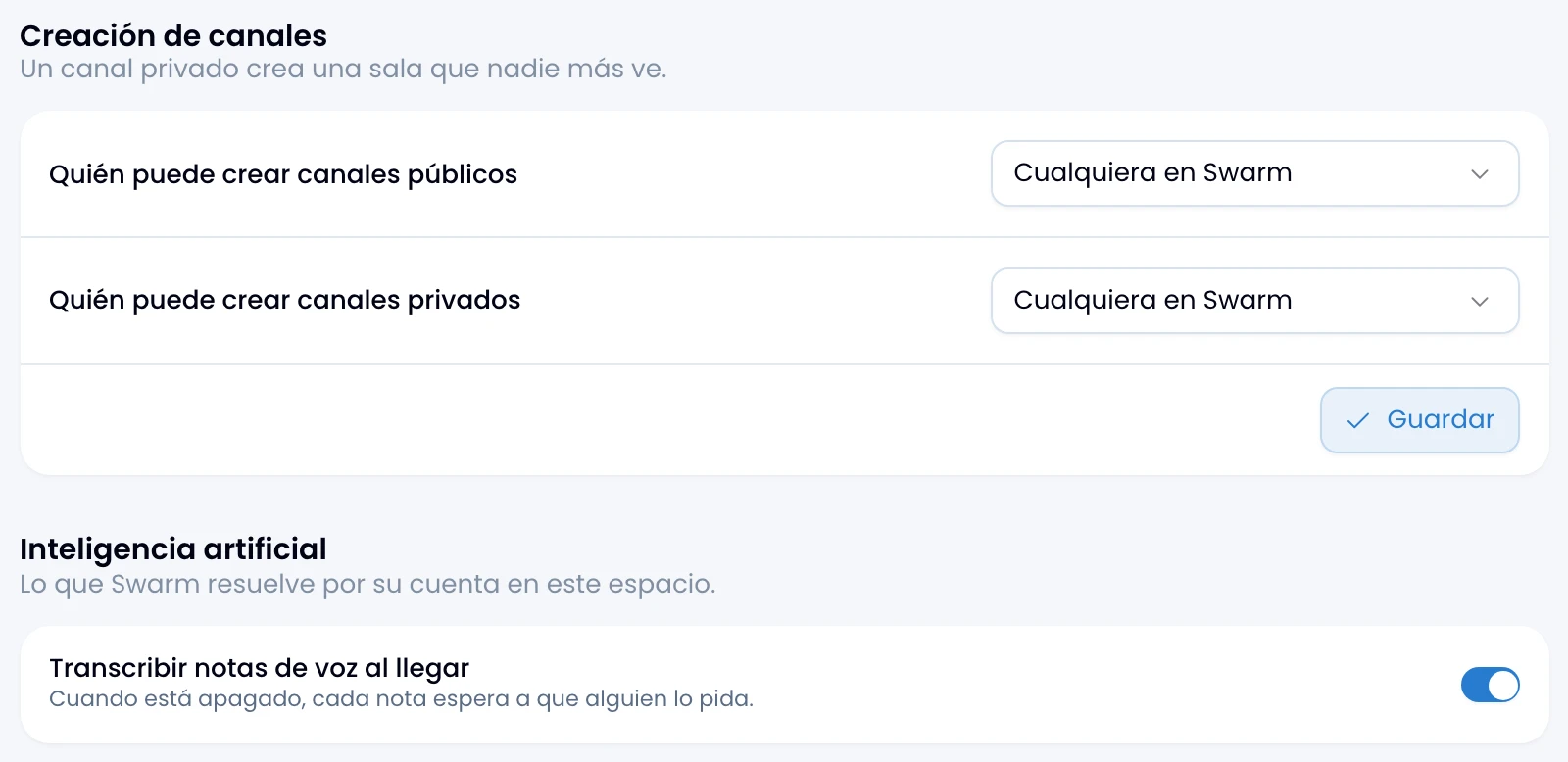
Turn the automatic transcript on or off in the workspace settings:
- On: Swarm transcribes every note as you send it.
- Off: every note carries a Transcribe button and you run it when you need it.
Each transcript spends credits from the workspace's AI pool. See AI usage.
If you do not see the transcription switch, ask a Swarm admin to set it for you.
When the note already carries text
If you send the audio with words of your own, Swarm does not transcribe it: there is already text saying what needs saying.
Send the note with no caption and Swarm does transcribe it, from a computer or from a phone.