Security
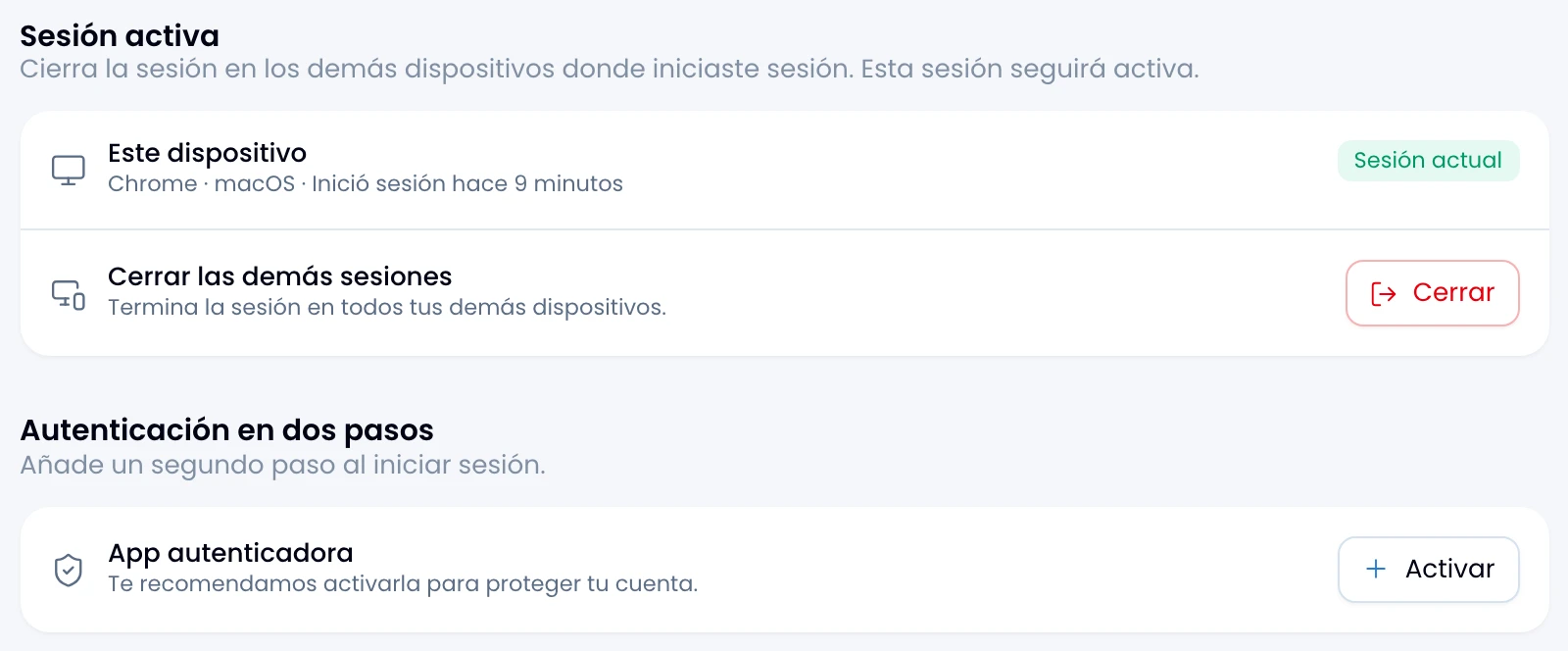
Protect your account with two-step verification, recovery codes and ending other sessions.
Two-step verification
Turn on two-step verification and your account stops resting on the password alone. Anyone can guess, reuse or leak a password; an authenticator app closes that gap.
Turning it on takes two steps:
- Scan. Nest shows a QR code. Read it with Google Authenticator, 1Password, Authy or whichever you use. If you cannot scan, type the key by hand.
- Verify. Enter the six-digit code your app shows. If it does not match, try again.
From then on Nest asks for the code after the password at every sign-in.
Remove it whenever you like: Nest asks you to confirm and warns you first that the password becomes your account's only protection.
Recovery codes
Save the ten single-use codes that appear when you turn two-step verification on: they get you in if you lose the phone.
Rules worth knowing:
- Nest shows them once. Copy them all at once or download them as a text file.
- Done waits five seconds before it lets you dismiss it.
- Nest tells you how many codes are still unused.
- Regenerate them whenever you like: the previous set stops working.
What using one actually does
Use a recovery code and three things happen at once:
- You get in. Only if you already passed the password: a recovery code on its own, with no session, opens nothing.
- Nest removes your authenticator app.
- You spend the whole batch, not just the code you used. The rest stop working.
You come out with the account protected by the password alone. Set a new app up straight away, which generates a new batch of codes.
Sessions
End the other sessions when you left one open on a machine you no longer control. Nest tells you the browser, the operating system and the sign-in time of the session you are reading on.
Nest does not list your devices one by one: the button ends everything that is not this session, in one go.
This session stays active afterwards, so it does not sign you out of where you are.