API keys
Credentials that act as the workspace, with exactly the permissions you give them.
Who can use this? Only the workspace owner and their admins create, see and revoke API keys.
Create an API key so a script, an integration or an automation can work with Eel with no person behind it.
A key acts as the whole workspace, with the permissions you ticked. It does not inherit yours or anyone else's.
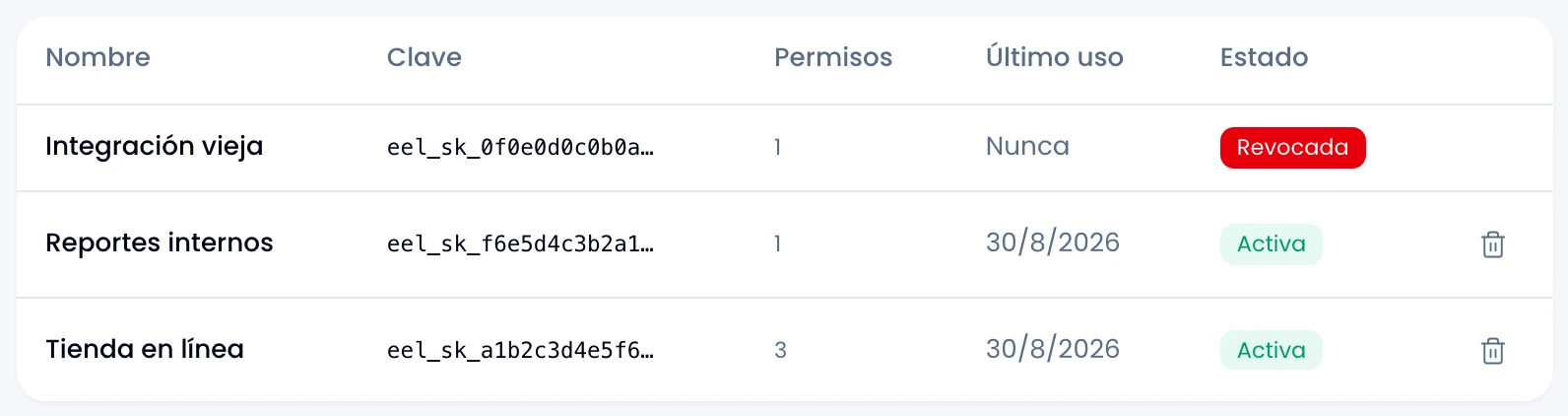
The table
| Column | What it shows |
|---|---|
| Name | What you made it for. |
| Key | Only its public half, eel_sk_…. |
| Permissions | How many it has. Which ones you picked when you created it. |
| Last used | When it last answered a request, or "Never". |
| Status | Active, expired or revoked. |
Creating one
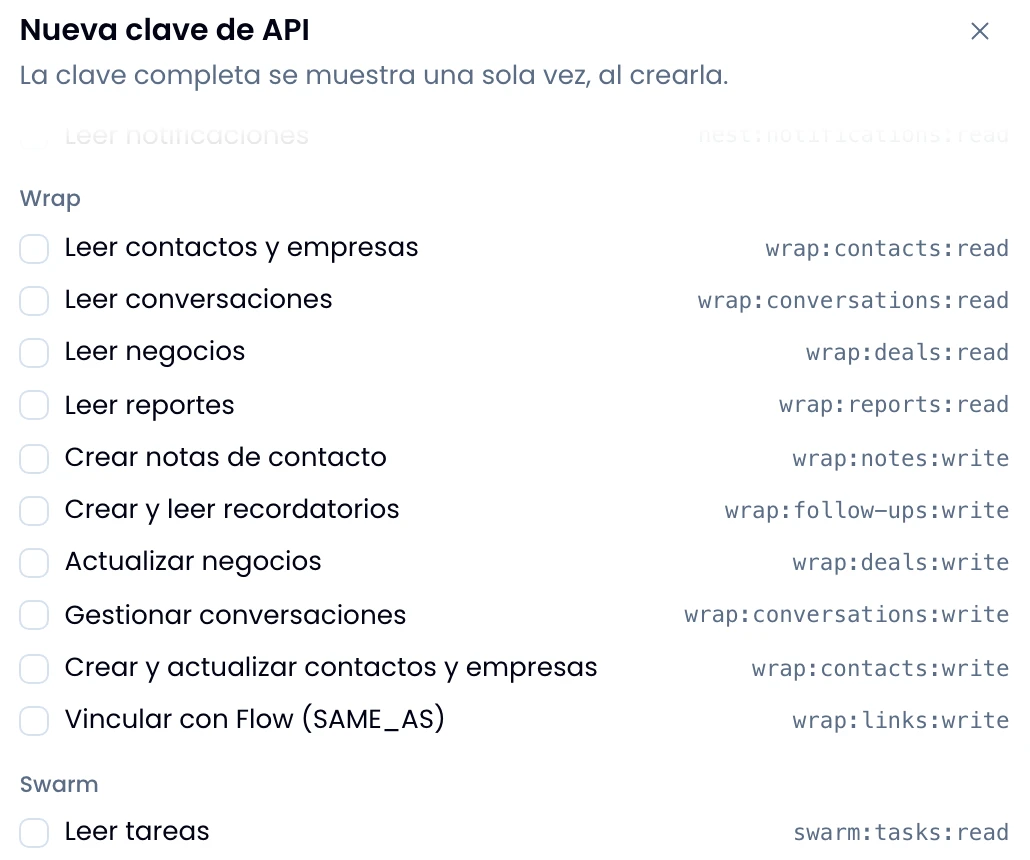
Open New key and give it a name, at least one permission and, if you want, an expiry date.
Pick the permissions, grouped by app. A few examples:
wrap:contacts:readread contacts and companieswrap:deals:writeupdate dealsswarm:tasks:writecreate and update tasksnest:workspace:readread the workspace and its membersflow:sales:writerecord sales
Tick only what the key needs: there are 32 permissions spread across the four apps, and anything you do not tick is denied. No implicit permissions, and none that drags another along.
Copy the key when you create it
Copy the key in full the moment you create it, with the copy button. It never appears again, and we cannot show it to you a second time either. If you lost it, revoke that one and mint another.
The allowed pace
Every permission belongs to a class, and the class sets how many requests a minute get through:
| Class | Per minute |
|---|---|
| Read | 120 |
| Write | 30 |
| Manage | 30 |
Every endpoint demands one specific permission, and the count runs per key and
per permission: reading a lot does not spend your write budget. If you go
over, you get a rate-limit error with a Retry-After, not a silent failure:
wait the seconds it names and try again.
Revoking
Revoke the key from its row and confirm. Any system using that key stops working within a minute, and it cannot be undone. Nest leaves the revoked key in the list, so the history has no gaps.
If you suspect a key leaked, revoke it. There is no reason to hesitate: minting another takes a minute.