API keys
The workspace credential: how it is created, what it sees, how long it lasts and how it is cut off.
An API key acts as the workspace. There is no person behind it, and that decides both what it can read and who its writes are attributed to.
What it looks like
eel_sk_a7Kd93mQ1xZp_4Rn8sV2yTgB6wLc0EjH5uPa1XdF9kMzThree parts: the eel_sk_ prefix, a 12-character public id, and a 32-character
secret. Eel does not keep the full token anywhere.
Which is why it is shown exactly once, at creation, and cannot be shown again. Lose it and you revoke that key and create another.
Who creates one
Workspace owners and admins, in Nest, under Workspace → API keys. Any member can see the list (with the token hidden); only they can create and revoke.
The dialog asks for a name, at least one scope, and optionally an expiry date. The scopes come grouped by app: Nest, Wrap, Swarm and Flow, with each one's exact string beside its checkbox.
Nothing is ticked in advance. Tick what the integration will use and nothing else: one checkbox too many is a permission somebody holds without having asked for it.
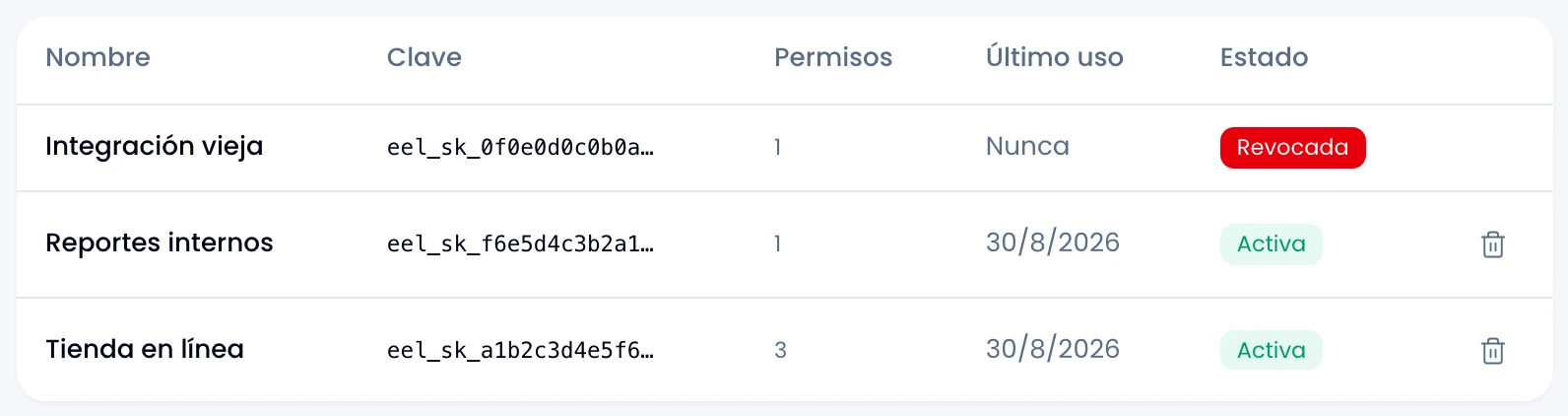
The list also shows each key's last-used date, refreshed at most once a minute.
What a key sees
It sees what the workspace can see, and nothing more:
| It can | It cannot |
|---|---|
| Swarm's public channels | Private channels, whatever scopes it holds |
| Workspace-visible projects | Private projects |
| The workspace's Wrap conversations | Swarm direct messages, ever |
No scope opens those doors. swarm:dms:read exists, but it only takes effect
with a person's token: a workspace has no "my direct messages".
What a key writes is attributed to the person who created it, and that is how it lands in the audit log: indistinguishable from something that person did by hand. If you need each write to appear under the right name, what you want is a connected app.
Key or person's token: which sees more
This is the comparison people get wrong most often. A person's token does not see everything a key sees plus extra:
- In Swarm, the token sees more: it adds that person's private channels and projects, which a key never reaches.
- In Wrap, the key sees more: it reads the whole workspace's conversations, the way an admin would. A non-admin's token sees only theirs.
Choose by what you need to read, not by assuming one contains the other.
Expiry
Optional, and set only at creation. You pick a date (YYYY-MM-DD) and the
key dies at 23:59:59 UTC that day. For a timezone like Colombia's that is
18:59:59 local, worth remembering when scheduling a rotation.
With no date, it never expires.
Revoking
From the row's menu. Revocation is permanent: it cannot be undone, and there is no way to rename, re-scope or rotate an existing key. To change any of those, create a new one and revoke the old.
The revoked row stays in the list, marked, so the history has no gaps. Both creation and revocation are written to the audit log.
Remember that revocation can take up to 60 seconds to take effect. See Authentication.